Complete Your Payment via GCash
Salamat sa iyong order! Follow these 4 steps to receive your PDF reviewer.
Step 1 — Scan the QR Code
Open your GCash app, tap Scan QR, and scan the code below. Enter the exact amount shown on your order (₱199 for the LET Reviewer launch price).
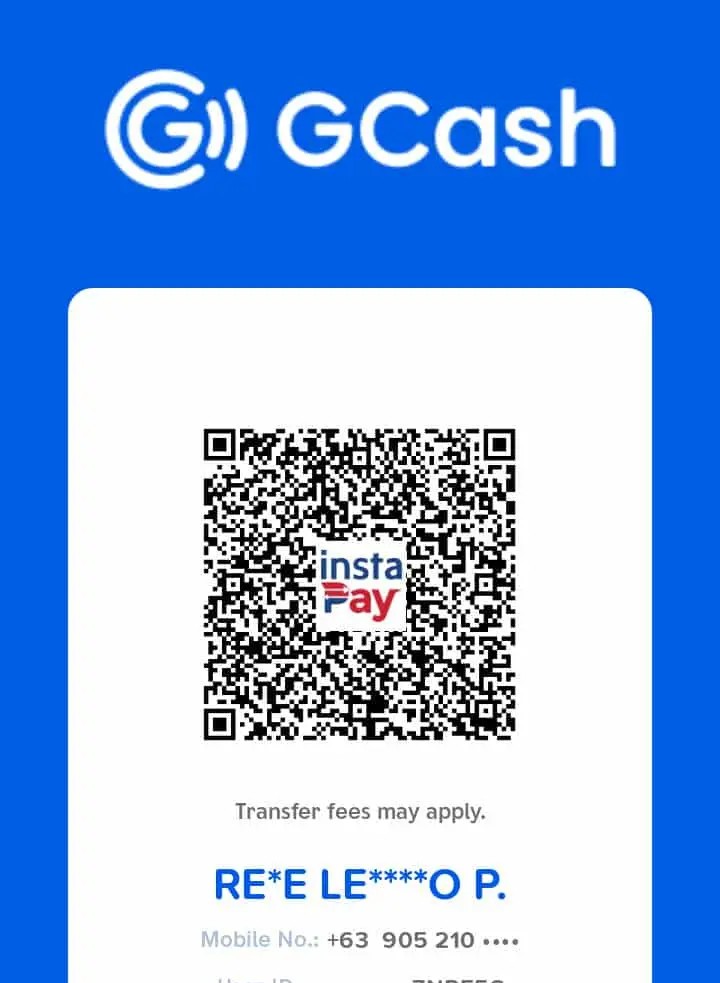
Step 2 — Take a Screenshot of Your Receipt
After sending payment, take a screenshot of the GCash confirmation showing the reference number and amount.
Step 3 — Email the Receipt
Send the screenshot to:
✉️ hello@malachisoft.com
Subject line format:
[Your Order Number] — GCash Payment Receipt
Example: #12345 — GCash Payment Receipt
Step 4 — Wait for Confirmation (2–4 hours)
We verify payments Monday to Friday, 9am–6pm PHT. Once verified, your LET Reviewer PDF will be:
- ✅ Emailed to you as a download link
- ✅ Made available in your account under My Downloads
Frequently Asked Questions
Q: What if I don’t have my order number?
Check the confirmation email you received right after checkout. Look for a number like #12345. If you cannot find it, email us with the name you used at checkout.
Q: How long until I get the PDF?
2–4 hours during business hours (Mon–Fri, 9am–6pm PHT). Payments received after hours or on weekends will be processed the next business day.
Q: What if my GCash transfer fails?
GCash sometimes fails during peak hours. Just try again after a few minutes. Contact us at hello@malachisoft.com if it keeps failing.
Q: Can I get a refund if I change my mind?
Yes — 7-day money-back guarantee. Email hello@malachisoft.com within 7 days of receiving the PDF.
Exams Pinas is owned and managed by MalachiSoft Inc.
For support: hello@malachisoft.com